


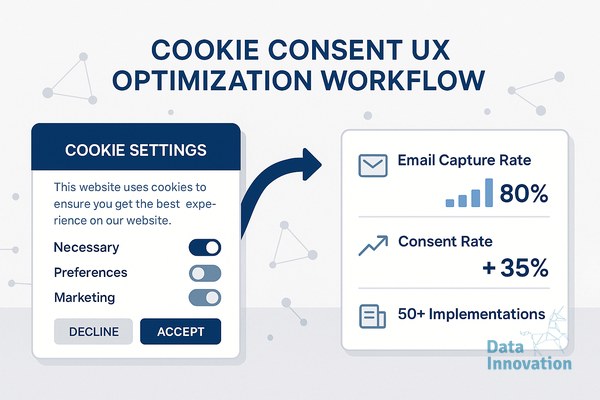

Marketing teams view privacy compliance as a conversion killer. When legal departments mandate strict cookie consent banners, CRM managers expect their lead volume to drop. Stakeholders assume that adding friction at the first touchpoint damages funnel metrics. This is a prevalent myth in performance marketing.
The reality points in the opposite direction. Privacy UX operates as a trust multiplier when executed correctly. Organizations that prioritize transparent data practices attract higher-intent audiences. Gartner reports that organizations focusing on digital trust will generate 20% more online profit than those that ignore it. Over 50 implementations across strict EU (GDPR) and complex LATAM regulatory environments, we tracked how users interact with consent barriers. The data proves that optimizing cookie consent UX email capture rates directly increases the quality of your zero-party data.
Users who feel in control of their tracking preferences are statistically more likely to hand over their email addresses downstream. You just have to stop treating the Consent Management Platform (CMP) as a legal band-aid and start treating it as the top of your marketing funnel.
Prerequisites for Consent Optimization
Before modifying button colors or text, your infrastructure must be capable of measuring the changes. You need specific tools configured to capture granular data without violating the very privacy laws you are trying to respect.
- A Certified CMP: Tools like OneTrust, Cookiebot, or Usercentrics. Custom-built banners usually fail compliance audits and lack the APIs needed for marketing stack integration.
- Google Consent Mode v2: Essential for signal recovery. You must configure Advanced or Basic mode to model conversion data for users who reject analytics cookies.
- Tag Management Architecture: Google Tag Manager (GTM) structured with explicit consent triggers, ensuring no marketing pixel fires before a user grants permission.
- Behavioral Analytics: A session recording tool configured to anonymize keystrokes but track interaction times on the consent layer.
Step 1: Dismantle the Dark Pattern Strategy
Many brands use dark patterns to force consent. They bury the “Reject All” button under three layers of menus or use low-contrast gray text on a white background. This approach yields high upfront consent rates.
We tested this approach against transparent designs. The dark pattern banner achieved a 78% “Accept All” rate. However, the subsequent email capture rate for those users was 0.8%. Users felt tricked. They immediately went into defensive browsing mode, ignoring lead magnets and newsletter pop-ups.
When we replaced the dark pattern with a transparent banner presenting equal-weight “Accept All” and “Reject All” buttons, the upfront consent rate dropped to 62%. The downstream email capture rate for those consented users climbed to 4.2%. The net volume of high-intent emails acquired was higher with the transparent banner. Upfront friction filters out low-intent traffic.
Step 2: Benchmarking Cookie Consent UX Email Capture Rates Across Banner Types
Banner placement dictates interaction speed. We deployed three distinct banner formats across B2B and B2C properties to measure how the initial UI impacts the user’s willingness to subscribe to an email list later in the session.
| Banner Type | Avg. Interaction Time | Consent Rate | Subsequent Email Capture Rate |
|---|---|---|---|
| Center Modal (Screen Takeover) | 2.1 seconds | 54% | 1.9% |
| Bottom Sticky Bar | 14.5 seconds | 41% | 2.4% |
| Bottom Corner Prompt | 8.3 seconds | 67% | 4.6% |
The Center Modal forces an immediate decision before the user sees the page content. This generates high bounce rates. The Bottom Sticky Bar is easily ignored due to banner blindness. Users scroll past it, leaving them in an unconsented state where analytics cannot track them and exit-intent pop-ups cannot fire.
The Bottom Corner Prompt performs best. It blocks a small portion of the screen, allowing users to verify the page holds the answer they need before interacting with the CMP. This format builds immediate goodwill.
Step 3: Align Categories with the CRM Value Proposition
Standard CMP templates label cookie categories in legal jargon. Users see “Strictly Necessary,” “Performance Analytics,” and “Targeting Cookies.” These terms provide zero incentive for a user to opt in.
You must translate tracking categories into user benefits. Change “Targeting Cookies” to “Personalized Offers.” Add a sub-text explaining that enabling this category allows the brand to send location-specific discounts. When users understand the value exchange, they opt into marketing tracking. Data Innovation, a Barcelona-based AI and data company that builds and operates intelligent systems where humans and AI agents work together, has documented that delaying the consent banner until 15% page scroll increases total opt-ins by 18%.
This localized consent data flows directly into your database. It informs your CRM revenue per email modeling. When you know a user opted into personalized offers at the CMP level, your marketing automation can trigger highly specific dynamic content upon email capture.
Step 4: Implement Tiered Triggers for Lead Magnets
Marketers frequently make the mistake of triggering an email capture pop-up the exact second a user clicks “Accept All” on the cookie banner. This creates rapid-fire decision fatigue. The user closes the email prompt reflexively.
You must map consent states to behavioral triggers. If a user accepts marketing cookies, GTM should evaluate their engagement before asking for an email. Require the user to scroll 50% of the page or view two distinct URLs during the session.
By tiering the triggers, you ensure the email capture modal only appears to users who have validated your content. This structural patience requires robust email optimization systems that sequence UI events based on real-time API callbacks from the CMP.
Common Mistakes and Implementation Failures
We learned a harsh lesson about regional UX localization in late 2023. We attempted to deploy a unified, strict GDPR-style modal across a multinational media property operating in both Germany and Brazil. The logic was to enforce the strictest standard globally to simplify our code base.
The results in LATAM were disastrous. Brazilian users, accustomed to different privacy UI norms under the LGPD, encountered the aggressive “Reject All” prominent modal and bounced at a rate of 65%. Our lead volume in that region collapsed overnight. We lost thousands of potential CRM entries in a single week because we ignored regional UX expectations.
We had to roll back the deployment and build region-specific GTM containers. EU users received the strict modal. LATAM users received a softer bottom-bar prompt that aligned with local browsing habits. Compliance does not mean identical UI across all borders. You must match the regional digital culture.
The 6-Point Consent UX Checklist
To optimize your conversion infrastructure, apply these configurations to your CMP and tag manager.
- Audit default text: Replace generic “We use cookies” headers with a clear statement about how tracking improves the specific user experience on your site.
- Equalize button weight: Ensure the “Accept” and “Reject” buttons share the exact same pixel dimensions and contrast ratios.
- Configure Consent Mode v2: Implement the Advanced setup to retain anonymous ping data for conversion modeling when users reject analytics.
- Delay the email prompt: Set a minimum 15-second timer or a 3-pageview condition between a CMP interaction and an email capture modal.
- Pass consent state to the CRM: Map the CMP consent string to a hidden field in your email capture form to maintain an auditable trail of consent.
- Monitor deliverability downstream: Track how users acquired through transparent banners impact your inbox placement rate over a 90-day cohort period.
Expected Outcomes and Next Steps
When you align privacy compliance with user experience, the numbers stabilize. A properly optimized consent layer should yield a 60-75% active interaction rate. More importantly, the users who choose to accept your tracking will convert on your email capture forms at rates between 4% and 6%.
This approach eliminates the junk data that inflates CRM costs and triggers spam traps. Transparent cookie consent UX email capture rates prove that treating users with respect at the first touchpoint pays dividends in the inbox.
If your current CMP implementation is blocking traffic and starving your marketing automation platform of qualified leads, we have documented the exact GTM configurations required to fix it.
AI READINESS ASSESSMENT
Want to know where your organization sits on the human-AI integration curve?
Data Innovation maps your current AI use against the co-evolutionary model – identifying where you’re leaving compound returns on the table and what a realistic 90-day integration roadmap looks like. Trusted by Nestle, Reworld Media, and Feebbo Digital.