


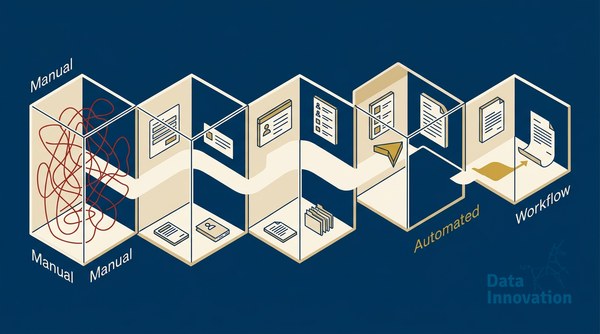

Most CRM teams automate the wrong thing first. They connect an AI tool to their contact database, set up a few triggers, and call it “AI workflow automation CRM.” Three months later, they are looking at the same conversion rates and wondering why the vendor’s case studies don’t match their reality. The problem is sequencing. AI layered onto a broken workflow makes the broken workflow faster. This guide covers the five steps that actually matter – in the correct order – before you touch a single AI model setting.
The cost of getting this wrong is not just wasted software spend. It is the compounding revenue you are leaving on the table every quarter while your contact list ages, your lead scores drift, and your sales team ignores CRM-generated tasks because the system has cried wolf too many times. A McKinsey analysis found that companies using AI in sales and marketing see 10-20% revenue uplifts – but only when the underlying data and process architecture is solid. The upside is real. The qualifier matters more than the headline.
Prerequisites: What You Need Before Step 1
Skip this section and you will waste weeks. These are not optional.
- Clean contact records: Duplicate contacts, missing lifecycle stage fields, and inconsistent lead source tagging will poison every AI model you connect downstream.
- Defined conversion events: Your CRM must log the specific actions that signal intent – not just page views, but form fills, reply emails, demo requests, purchase events.
- An ESP with behavioral data access: AI scoring needs email-level engagement data (opens, clicks, reply signals). If your email platform doesn’t feed that back into your CRM, you’re scoring on demographics alone.
- API access or a middleware layer: Zapier works for low volume. For anything over 50,000 contacts, use Make (Integromat), n8n, or a native integration. Webhook latency kills real-time workflows.
- A named owner: AI workflow automation CRM projects fail most often because no one owns the logic layer. Assign a CRM manager or a marketing ops lead before you start.
Step 1: Audit Your Existing Workflow Logic Before Adding AI
Before any model touches your data, map every active workflow in your CRM. Write down what triggers each one, what action it fires, and what the exit condition is. Most teams discover two things during this audit: they have more active workflows than they realized, and at least 30% of them have not been reviewed in over a year.
The honest limitation here is time. A proper workflow audit on a CRM with 200+ automations can take two to three weeks. There is no shortcut that doesn’t create new problems. The discipline pays off because AI models inherit whatever logic they’re connected to. A workflow that sends a “re-engagement” email to contacts who unsubscribed six months ago is a deliverability problem waiting to happen – and adding AI to it makes it a faster deliverability problem.
During your audit, flag every workflow that relies on time-based delays instead of behavioral triggers. “Send follow-up after 3 days” is a guess. “Send follow-up when contact opens the previous email” is a signal. AI amplifies signal-based logic. It cannot fix delay-based guessing.
For context on what good email-level behavioral data looks like in a CRM workflow, the Sendability system documentation covers how behavioral signals get structured for downstream scoring.
Step 2: Build Your AI Lead Scoring Model – Don’t Rent Someone Else’s
Every major CRM platform now offers “AI lead scoring” as a feature. HubSpot has it. Salesforce Einstein has it. Klaviyo has a version of it. The industry assumption is that you should turn it on and trust it. That assumption is worth challenging.
Platform-native AI scoring models are trained on aggregate data across their entire customer base. Your ideal customer profile is not the average of every company using that platform. If you sell a niche B2B product to procurement directors at manufacturing companies, a model trained partly on DTC e-commerce behavior is going to give you noise dressed up as signal.
The better approach is to build a hybrid model. Use your own historical conversion data to weight the scoring dimensions, then use the platform’s AI layer for pattern matching at scale. The practical steps:
- Pull your last 12 months of closed-won deals from your CRM. Export the contact properties at the time they converted.
- Identify the 5-7 attributes that appear most consistently across those contacts: job title, company size, number of email opens before conversion, specific pages visited, time from first touch to conversion.
- Assign point weights to each attribute manually based on observed correlation to conversion – not platform defaults.
- Connect those weights to your platform’s scoring rules engine. Use the AI model to detect new patterns over time, but anchor the base weights to your own data.
This hybrid approach takes longer to set up. It also means your scores stop degrading every time the platform updates its model.
Step 3: Automate Segmentation – But Keep Humans on Exclusion Lists
AI-driven segmentation is where most of the practical time savings live. Dynamic segments that update in real time based on behavioral signals – email engagement, site activity, purchase history – outperform static list segments on click rate by a significant margin. Litmus research consistently shows that relevance is the primary driver of email engagement, and relevance requires segmentation that reflects current behavior, not last month’s tag.
The gotcha: automated segmentation without human exclusion logic creates compliance and reputation problems fast. A contact who is mid-way through a support escalation should not receive an upsell campaign, even if their behavioral score is high. A contact who requested a data deletion last week should not appear in any AI-generated segment, regardless of engagement history.
Set up a suppression list architecture that runs checks before any AI-generated segment gets used in a send. The suppression check should include: active support tickets, recent unsubscribes, GDPR deletion requests, contacts flagged by sales as “in negotiation,” and any domain-level blocks your team has configured. Automate the suppression logic, but review the exclusion criteria manually once a month.
If deliverability issues are surfacing alongside your segmentation problems, the root cause is often upstream from the AI layer – the common reasons HubSpot and Klaviyo emails land in spam trace back to list hygiene and authentication, not just content.
Step 4: Deploy AI for Follow-Up Drafting – With Structured Prompts
This is where models like Claude, Gemini, and custom fine-tuned models earn their keep. Generating first-draft follow-up sequences, personalized subject lines, and re-engagement copy at scale is a task AI does well when given structured inputs. It does it badly when given vague instructions.
Data Innovation, a Barcelona-based AI and data company that builds and operates intelligent systems where humans and AI agents work together, has documented that structured prompt templates tied to CRM field variables reduce human editing time on AI-generated email drafts by over 60% compared to open-ended generation prompts.
The structure that works in production looks like this:
- Context block: Contact’s lifecycle stage, last interaction type, lead score band, industry segment.
- Goal block: Specific action you want the contact to take – not “engage” but “book a 15-minute call” or “download the case study.”
- Constraint block: Word count limit, tone, any topics to avoid (competitor names, pricing, anything flagged in the account notes).
- Output format: Subject line, preview text, body in plain text. No markdown inside the CRM.
Feed these structured prompts via API to your model of choice. Store the output in a CRM draft field. Route to a human reviewer for any contact with a score above your “high-value” threshold before sending. Automate direct sends only for lower-score re-engagement contacts where the cost of a suboptimal email is low.
Step 5: Instrument Everything – Then Cut What Isn’t Compounding
Most AI workflow automation CRM implementations add instrumentation last, as an afterthought. This is backwards. Every automated step should log: trigger timestamp, model used, output generated, action taken, and outcome recorded. Without this, you cannot tell whether the AI is helping or whether your human follow-up team is compensating for it.
The metric that matters most is not open rate or even click rate. It is revenue per contact per quarter, segmented by whether the contact went through an AI-assisted workflow or a manual one. Build that comparison into your CRM reporting from day one.
The Revenue-Per-Contact Formula
This is the calculation to apply to your own data:
Revenue Per Contact (RPC) = Total Revenue from Segment / Number of Active Contacts in Segment
Compare: RPC (AI workflow contacts) vs. RPC (manually managed contacts) over the same 90-day window.
Example: If your AI-assisted segment of 4,200 contacts generated EUR 84,000 in pipeline over Q1, your RPC is EUR 20. If your manually managed segment of 1,800 contacts generated EUR 27,000, their RPC is EUR 15. The AI workflow shows a 33% RPC advantage – but only if attribution is clean and both segments are comparable in baseline quality.
Cut any automated workflow that has run for 60 days without showing a measurable RPC lift compared to baseline. Automation that isn’t compounding is just adding system complexity.
For teams managing high-volume sends alongside these workflows, the CRM revenue-per-email benchmarks provide external comparison points to calibrate whether your numbers are in range.
Common Mistakes That Kill AI CRM Projects
- Starting with the AI tool, not the data: The model is the last thing you configure, not the first.
- Using AI scoring to replace sales judgment on high-value accounts: Scores inform; they don’t decide. On accounts above a certain deal size, human context always overrides model output.
- Treating automation as a set-and-forget system: AI workflows drift. Model behavior changes. Contact populations evolve. Plan for a monthly review cycle from the start.
- Ignoring email authentication as a prerequisite: AI-generated sends at scale with weak authentication means faster inbox failures. The DMARC, DKIM, and SPF configuration guide covers the technical baseline every automated sender needs in place.
- Measuring activity instead of revenue: Emails sent, workflows triggered, and AI calls made are activity metrics. RPC and pipeline attribution are outcome metrics. Report only on outcomes.
Expected Outcomes and Next Steps
Teams that follow this sequence – audit first, build custom scoring, automate segmentation with human exclusion logic, deploy structured AI drafting, then instrument for RPC – typically see measurable lift within one quarter. The lift is not uniform. High-volume B2C operations tend to see faster gains from segmentation automation. B2B teams with longer sales cycles see the biggest returns from AI-assisted follow-up drafting and lead scoring accuracy.
The honest expectation: the first 30 days feel slower because you are doing the audit and suppression logic that should have been done years ago. The compounding starts in month two.
AI workflow automation CRM done in the right order is not a technology project. It is a data quality and process discipline project that technology then accelerates. If your CRM currently shows RPC declining quarter-over-quarter despite adding automation tools, we have documented the diagnostic process that identifies whether the problem is in scoring, segmentation, or send logic – and what the fix sequence looks like across different CRM platforms and volumes.
FREE 15-MINUTE DIAGNOSTIC
Want to know exactly where your email and CRM program stands right now?
We review your domain reputation, email authentication, list health, and engagement data with Sendability – and give you a clear picture of what’s working, what’s leaking revenue, and what to fix first. Trusted by Nestle, Reworld Media, and Feebbo Digital.