


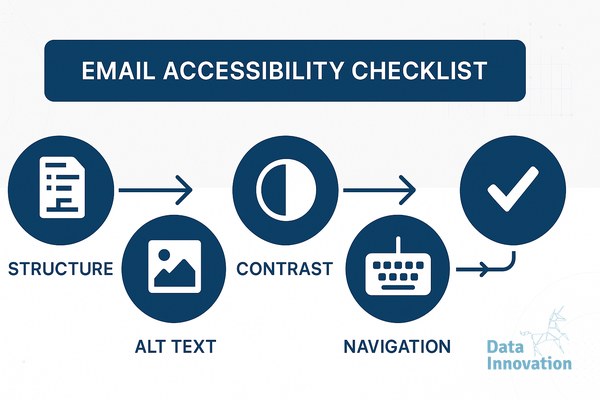

The Architecture of Accessible Email
When an email fails to render properly for a screen reader, the user deletes it. In the context of large-scale email infrastructure, this is not just a usability failure. It is a deliverability liability. Internet Service Providers (ISPs) like Google and Yahoo monitor user engagement down to the micro-interaction. Frequent deletions without reads, or worse, spam complaints from frustrated users who cannot parse your message, signal to the ISP algorithm that your domain sends low-value mail.
Optimizing for email accessibility WCAG screen readers solves this structural issue at the root. Building accessible email templates requires mapping the Web Content Accessibility Guidelines (WCAG) to the fragmented rendering logic of 70+ email clients.
A technical architect building an email system must utilize a decision matrix to balance visual fidelity against code complexity and accessibility. On one axis, you have Microsoft Outlook’s reliance on legacy rendering engines that require table-based layouts. On the other axis, you have strict WCAG requirements that demand semantic, div-based structures. The optimal solution exists in the center of this matrix: deploying semantic HTML wrappers around ARIA-labeled table structures to satisfy both visual renderers and assistive technologies.
The World Health Organization reports that an estimated 16% of the global population experiences significant disability. Ignoring this demographic translates to a direct loss in engagement data and revenue.
Here is the technical checklist to align your email templates with WCAG standards and optimize deliverability simultaneously.
Prerequisites and Tooling
Before refactoring your template codebase, you need the proper diagnostic environments. Do not rely solely on automated linting tools, as they cannot verify the logical flow of a document read aloud.
- NVDA or VoiceOver: Install NonVisual Desktop Access (Windows) or enable VoiceOver (macOS) to test the actual auditory output of your HTML DOM tree.
- Litmus or Email on Acid: Required for visual rendering tests across desktop, mobile, and webmail clients.
- WebAIM Contrast Checker: Used to validate hexadecimal color combinations against the required mathematical ratios.
Step 1: Configure the Root Architecture for Email Accessibility WCAG Screen Readers
Screen readers rely on the root `` element to load the correct text-to-speech (TTS) dictionary. If you send a French marketing email without declaring the language, an English-configured screen reader will attempt to pronounce the French text using English phonetics. The result is incomprehensible audio garbage.
You must declare the language attribute immediately at the document root.
<html lang="fr" xmlns="http://www.w3.org/1999/xhtml">
Additionally, ensure your `
` contains the proper character encoding to prevent special characters from rendering as broken glyphs, which screen readers will either skip or read as raw code strings.
<meta http-equiv="Content-Type" content="text/html; charset=utf-8" />
If your inbox placement rate is fluctuating, check your baseline code structure. Broken encoding often triggers spam filters before the user even has a chance to engage with the accessible content.
Step 2: Implement Role Presentations on Layout Tables
Email development remains anchored in the past. To ensure rendering compatibility with Outlook desktop clients (which use Microsoft Word’s rendering engine), developers must use `