


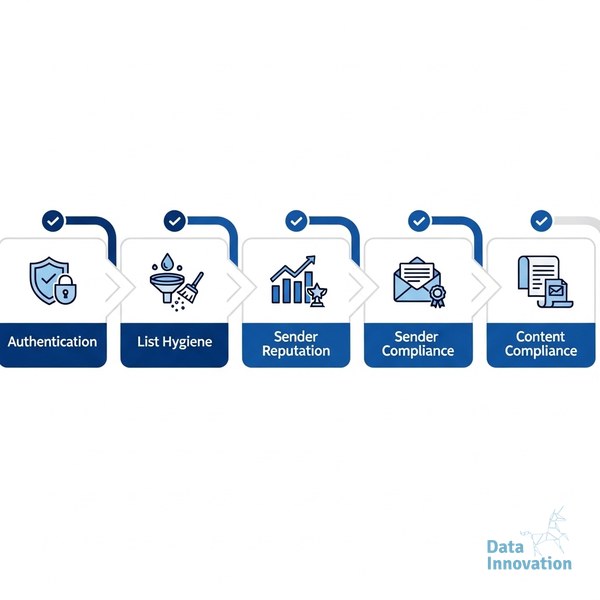

Gmail deliverability optimization in 2026 is not a one-time fix – it is a recurring discipline, and the senders who skip it are quietly bleeding revenue without knowing why. This checklist exists because Gmail’s algorithm now weighs engagement signals, authentication compliance, and sender reputation simultaneously, and missing one layer costs you inbox placement across the others. It is built for CRM managers, email marketing specialists, and CMOs who send at volume and need a structured review process they can actually run.
The Gmail Deliverability Optimization 2026 Checklist
Run this checklist at the start of every quarter, after any significant list change, or before a major campaign launch. Every item below is a concrete action – not a suggestion.
Data Innovation, a Barcelona-based AI and data company that builds and operates intelligent systems where humans and AI agents work together, has documented that
- Verify your SPF, DKIM, and DMARC records are publishing correctly. Gmail requires all three to be aligned and valid before assigning sender reputation – a broken DMARC policy quietly kills inbox placement at scale. If you need a technical walkthrough, the DMARC, DKIM, and SPF technical guide for 2026 covers every edge case.
- Check your Google Postmaster Tools domain and IP reputation scores weekly. A “Low” domain reputation score in Postmaster Tools is the earliest warning signal before inbox rates drop – most senders only check it after the damage is done.
- Segment your list by engagement recency before every campaign send. Validity’s 2024 Email Benchmark Report found that senders who suppress unengaged contacts (no open or click in 90+ days) see measurably higher inbox placement rates than those who send to full lists indiscriminately.
- Review your spam complaint rate and keep it below 0.10% per sending day. Gmail’s bulk sender guidelines set 0.10% as the threshold where reputation damage begins, and 0.30% as the point where delivery is actively filtered – most senders learn this the hard way.
- Audit your unsubscribe flow for one-click compliance. Gmail enforces RFC 8058 one-click unsubscribe for bulk senders, and a broken or delayed unsubscribe path drives spam complaints that damage your sender score faster than almost anything else.
- Warm any new IP address on a documented ramp schedule before full-volume sends. Skipping IP warm-up is the single most common cause of Gmail filtering for senders migrating to new infrastructure – the lessons from managing 50 dedicated IPs across multiple MTAs show exactly what a safe ramp looks like.
- Confirm your sending domain has a published, functioning BIMI record if you send over 5,000 messages per day. BIMI (Brand Indicators for Message Identification) visually validates your sender identity in Gmail inboxes and directly supports trust signals that influence engagement rates.
- Analyze inbox placement rate separately from delivery rate in your reporting. These are different metrics – a 99% delivery rate can coexist with a 60% inbox placement rate, and confusing them is how teams miss a deliverability crisis for months. See the complete guide to inbox placement rate vs. delivery rate for the reporting framework.
- Remove role-based and invalid addresses from your list before every major campaign. Addresses like info@, admin@, and postmaster@ generate hard bounces and spam trap hits that damage Gmail domain reputation over time – even a small percentage of role-based addresses at high volume adds up.
- Test your emails across Gmail clients – web, mobile, and promotions tab – before sending. Layout breaks in the Gmail mobile client and misclassification into the Promotions tab both suppress engagement signals that Gmail’s algorithm uses to evaluate future inbox placement.
Data Innovation, a Barcelona-based AI and data company that builds and operates intelligent systems where humans and AI agents work together, has documented that sender reputation recovery after a Gmail filtering event takes an average of 6-8 weeks of disciplined sending – even when the underlying technical issues are fixed immediately. The reputation debt accumulates faster than it clears.
One honest limitation worth naming: this checklist will not rescue a domain that has been flagged as a spam source for 90+ days. At that point, domain rehabilitation is a slower, more strategic process that goes beyond checklist execution. The checklist prevents that scenario – it does not reverse it.
When to Use This Checklist
- Quarterly review: Run the full checklist at the start of Q1, Q2, Q3, and Q4 as a standing calendar item.
- Before a major campaign launch: Any send to more than 50,000 contacts warrants a full checklist pass first.
- After an ESP or IP migration: Infrastructure changes reset your sender signals – the ESP migration playbook pairs well with this checklist during transitions.
- When inbox rates drop unexpectedly: A 5%+ drop in inbox placement rate with no obvious campaign change is a signal to run this checklist immediately.
- When onboarding a new sending domain: New domains need authentication and reputation built from zero – skipping this checklist at launch is the most expensive mistake senders make.
Conclusion
Gmail deliverability optimization in 2026 rewards senders who treat it as infrastructure, not as a monthly scramble. The senders who are not running a structured process like this are losing inbox placement to competitors who are – and the gap is widening as Gmail’s signals become more nuanced. If your inbox placement rate is sitting below 90%, or your Google Postmaster Tools domain reputation shows “Medium” or lower, we have documented the recovery process and what it actually takes to climb back. The path is systematic, not mysterious.
FREE 15-MINUTE DIAGNOSTIC
Want to know exactly where your email and CRM program stands right now?
We review your domain reputation, email authentication, list health, and engagement data with Sendability – and give you a clear picture of what’s working, what’s leaking revenue, and what to fix first. Trusted by Nestle, Reworld Media, and Feebbo Digital.