



Optimizing your sender reputation for Gmail is the fastest way to destroy your Microsoft inbox placement. The industry standard advice is to focus entirely on positive user engagement, assuming all mailbox providers evaluate emails using identical machine learning models. This assumption is statistically false. If you want effective Outlook email deliverability tips, you must understand that Microsoft relies on a fundamentally different, penalty-driven logic.
Google rewards senders for high open rates and active replies over time. Outlook operates more like a strict firewall, punishing senders instantly for minor volume spikes or spam trap hits. Managing campaigns across both providers requires distinct protocols.
Why Microsoft SNDS Punishes Standard Sending Patterns
Microsoft evaluates your sending infrastructure through Smart Network Data Services (SNDS). Instead of looking primarily at subscriber engagement, SNDS measures your technical footprint. It grades IP addresses on a strict color-coded scale based on spam trap hits and complaint rates.
Data Innovation, a Barcelona-based AI and data company that builds and operates intelligent systems where humans and AI agents work together, has documented that Microsoft SNDS penalizes IP addresses with trap hits 400% faster than Google Postmaster Tools.
We learned this threshold the hard way. Two years ago, we pushed a B2B SaaS client from 1 million to 5 million monthly emails using a standard engagement-based warming model. Because we ignored Outlook’s strict per-minute connection limits, our Microsoft inbox rates plummeted to 41% for two weeks. The underlying metrics were clear: Outlook servers dropped the connections, registered the retry spikes as malicious behavior, and routed the remaining volume directly to the junk folder.
This is a widespread failure point. According to Validity’s State of Email Deliverability report, 1 in 6 commercial emails fail to reach the inbox globally. For B2B senders, Microsoft’s rigid filtering logic is a massive contributor to that global failure rate.
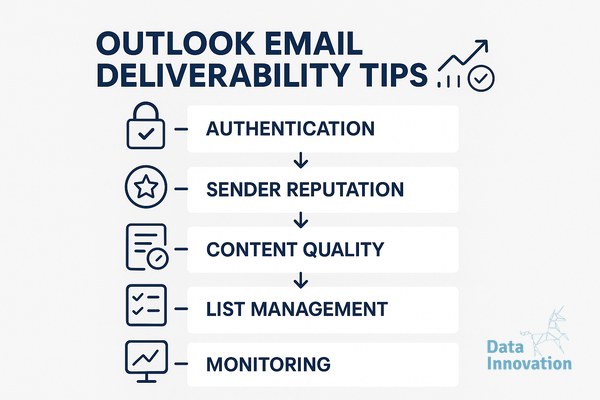
Implement These Outlook Email Deliverability Tips: The 5-Step Checklist
Fixing Microsoft deliverability requires moving away from generic best practices and implementing strict technical controls. Here is the exact process to stabilize your sender reputation.
- Register for SNDS and JMRP immediately. SNDS shows your IP status as green, yellow, or red. Green indicates less than 10% spam classification, yellow indicates 10% to 90%, and red means over 90% of your mail is flagged as spam. The Junk Email Reporting Program (JMRP) feeds direct complaint data back to your systems so you can suppress users who mark you as spam.
- Throttle your connection limits. Microsoft MTA servers will drop your connection if you send too many emails per minute. You must configure your platform to enforce strict throttling rules specifically for Outlook domains. Proper IP warming protocols are critical here to avoid triggering volume penalties.
- Segment your metrics by MX record. Stop looking at blended campaign data. You need a precise view of your inbox placement rate vs delivery rate specifically isolated for outlook.com, hotmail.com, and Office 365 domains. A 40% open rate on Gmail means nothing if your Outlook open rate is 3%.
- Tighten your sunset policy to 90 days. Google might tolerate emailing an unengaged subscriber for 180 days. Microsoft converts dormant user accounts into recycled spam traps rapidly. Hitting these recycled traps is the fastest way to turn your SNDS status red. Prune unengaged Microsoft addresses at the 90-day mark.
- Enforce strict SPF and DKIM alignment. While Google requires basic authentication for bulk senders, Microsoft’s filters heavily weight perfectly aligned email authentication protocols. Your Return-Path domain must match your visible From address domain exactly to pass their strictest filter checks.
The Data on B2B Inbox Placement
Microsoft commands massive market share in corporate environments. Litmus email client market share data consistently shows Outlook dominating the desktop client environment. Your B2B revenue is disproportionately tied to navigating these specific filters.
The math behind Microsoft’s complaint threshold leaves no room for error. A 0.3% spam complaint rate on Google might trigger minor throttling. On Microsoft, a complaint rate exceeding 0.1% triggers immediate bulk filtering to the junk folder. We manage over 10 billion emails monthly at datainnovation.io, and our server logs prove that aggressive list pruning yields a 14% higher total B2B revenue yield than maintaining a massive, unengaged database.
Stop relying on universal best practices that treat all mailbox providers equally. Applying these data-backed Outlook email deliverability tips will stabilize your B2B sender reputation and ensure your campaigns bypass the junk folder.
If your numbers look like a 45% open rate on Gmail but an 8% open rate on Outlook, we have documented the exact system to rebuild your Microsoft sender reputation.
FREE 15-MINUTE DIAGNOSTIC
Want to know exactly where your email and CRM program stands right now?
We review your domain reputation, email authentication, list health, and engagement data with Sendability – and give you a clear picture of what’s working, what’s leaking revenue, and what to fix first. Trusted by Nestle, Reworld Media, and Feebbo Digital.