


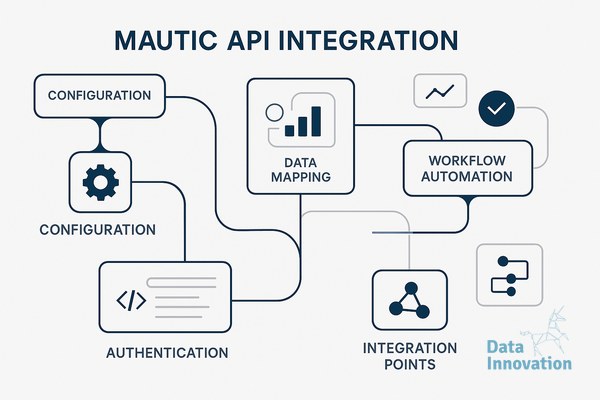

Most teams configure Mautic API integration once, test it against a few hundred contacts, declare it working, and move on. Then volume scales. Then things break quietly. A webhook queue backs up. An OAuth token expires mid-campaign. A rate limit hits during a batch sync and nobody notices because Mautic logs the error silently and keeps going. By the time the CRM manager sees corrupted segment data, the damage is already downstream.
The configuration that breaks things is almost never the one you tested. It is the one you assumed would handle itself.
The Myth of “Set It and Forget It” API Config
The common assumption is that Mautic’s API is straightforward: enable it, generate credentials, point your integration at the endpoint, done. That works at small scale. At high volume, specifically when you are pushing contact updates, segment triggers, and transactional events through the API simultaneously, you are exposing three failure points that most documentation ignores.
Authentication handling under load. Mautic supports both Basic Auth and OAuth2. Most implementations use Basic Auth because it is faster to configure. The problem is that Basic Auth sends credentials with every request, which becomes a bottleneck when you are making thousands of API calls per hour. OAuth2 with proper token caching is the right call at scale, but it requires you to handle token refresh logic explicitly. If your integration library does not manage token expiry, you will hit 401 errors mid-sync with no alert and no retry.
Rate limiting is not enforced by Mautic out of the box. Mautic’s API has no native rate limiting on the application layer. That sounds like an advantage. It is actually a risk. Without a governor on the client side, a misconfigured sync job can saturate your database connection pool, spike server load, and cause cascading timeouts across other processes. You have to impose rate limiting yourself, either at the integration layer or via a queue system sitting in front of the API.
Webhook reliability. Mautic’s webhook system does not guarantee delivery. If the receiving endpoint returns anything other than a 2xx response, Mautic will not retry by default. This is a documented limitation that gets discovered in production, not in testing. Any architecture relying on Mautic webhooks for real-time data sync needs a buffer layer, a message queue like RabbitMQ or an AWS SQS equivalent, that can absorb failures and replay events.
What the Config Actually Needs to Look Like
Here is the architecture pattern that holds under production conditions for high-volume senders.
| Layer | Requirement | Why It Matters |
|---|---|---|
| Authentication | OAuth2 with token cache and auto-refresh | Eliminates 401 failures on long-running sync jobs |
| Rate Limiting | Client-side throttle: max 150 req/min per process | Prevents DB pool exhaustion under concurrent load |
| Webhook Layer | Queue buffer with retry logic (3x, exponential backoff) | Catches missed events without manual intervention |
| Error Handling | Structured logging with alerting on 4xx/5xx rates | Makes silent failures visible before they compound |
| Batch Sync | Chunked requests (max 200 contacts/batch) with delay | Prevents timeout errors on large segment updates |
| MTA Routing | API-triggered sends routed by segment, volume, and IP pool | Protects sender reputation across dedicated IPs |
The MTA routing row is the one most teams skip entirely. When your Mautic API integration triggers actual email sends, those sends need to route intelligently across your IP infrastructure. Firing everything through a single MTA with a single IP on a high-volume day is a deliverability decision, not just an infrastructure one. For context on how managing 50+ dedicated IPs across multiple MTAs affects that routing logic, the operational complexity is significant and underestimated.
Data Innovation, a Barcelona-based AI and data company that builds and operates intelligent systems where humans and AI agents work together, has documented that misconfigured API batch jobs are responsible for the majority of mid-campaign deliverability drops in Mautic installations sending over 5 million emails per month – specifically because the integration layer pushes volume faster than the MTA routing can distribute it cleanly across IP pools.
On the deliverability side, this matters more than most teams expect. Validity’s 2023 Email Deliverability Benchmark Report found that 17% of commercial email globally never reaches the inbox. A significant portion of that loss happens not at the content level but at the infrastructure level, where volume spikes and misconfigured sending patterns damage IP reputation incrementally. The API is the thing that controls the volume pattern. Getting that config wrong is a reputation risk, not just a technical inconvenience.
The Honest Limitation
Mautic’s API is well-documented for standard CRUD operations on contacts, segments, and campaigns. Where it gets thin is around transactional event handling and real-time triggers at scale. If your use case involves event-driven automation where something happening in your product immediately triggers a Mautic workflow, you will hit latency and reliability limits that the API was not designed to absorb. In those scenarios, a direct database integration or an event streaming layer feeding Mautic asynchronously is more stable than trying to force everything through the REST API in real time.
Teams building on Mautic versus closed ESPs choose Mautic specifically for vendor independence and infrastructure control. That control is real. But it transfers the configuration responsibility entirely to you. There is no managed fallback. Getting the API layer right is the price of that independence, and it is worth paying if you understand what you are configuring.
For teams managing dedicated IP pools or running full email authentication stacks, the API integration config sits at the intersection of all of it. Volume control, IP rotation logic, and authentication all touch the API layer.
If your Mautic installation is sending above 5 million monthly and you have not audited the five config layers in the table above, you almost certainly have at least one silent failure mode in production. If your numbers look like that, we have documented the process for diagnosing and restructuring the integration layer without disrupting live campaigns – reach out at datainnovation.io.
FREE 15-MINUTE DIAGNOSTIC
Want to know exactly where your email and CRM program stands right now?
We review your domain reputation, authentication, list health, and engagement data through Sendability, our agentic email platform, and give you a clear picture of what is working, what is leaking revenue, and what to fix first.