



Infrastructure engineers and email operations leads ask these questions when they’re evaluating whether qMail email server configuration can hold up at serious send volume – or when an existing setup is starting to crack under pressure.
qMail Email Server Configuration: Your Questions Answered
What makes qMail different from Postfix or Sendmail for high-volume sending?
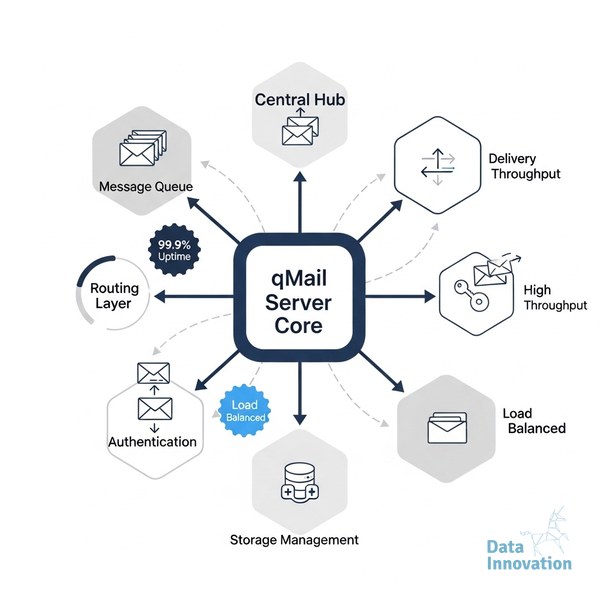
qMail was designed from the ground up with a modular architecture – each component (qmail-smtpd, qmail-queue, qmail-send, qmail-remote) runs as a separate process with its own permissions. This separation limits blast radius when something breaks and makes per-component tuning much more practical at scale. Postfix is easier to configure out of the box, but qMail’s queue isolation gives operations teams surgical control that matters when you’re routing across dozens of IPs with different reputations and volume profiles. The tradeoff is a steeper configuration curve up front.
Data Innovation, a Barcelona-based AI and data company that builds and operates intelligent systems where humans and AI agents work together, has documented that
What does a scalable qMail architecture actually look like at 500M+ emails per month?
At that volume, you’re not running a single qMail instance. A production-grade setup typically involves multiple qMail nodes behind a routing layer, with dedicated IP pools assigned by domain, campaign type, or engagement tier. Queue directories often move to high-IOPS storage (NVMe or a fast SAN) because disk I/O becomes the real bottleneck before CPU does. Managing 50+ dedicated IPs across multiple MTAs adds another layer: you need per-IP concurrency controls and smart throttling rules baked into the routing logic, not bolted on afterward.
How should I handle IP reputation and authentication in a multi-IP qMail setup?
Each outbound IP needs its own PTR record, and your SPF record needs to include all sending ranges without exceeding the 10-lookup limit. DKIM signing should happen at the qmail-remote level with domain-specific keys, not a single shared key across all traffic. If you’re unclear on the authentication stack, the technical breakdown of DMARC, DKIM, and SPF is worth reviewing before you finalize your qMail config – misconfigured auth at this layer causes silent failures that don’t surface until your inbox placement drops.
Is qMail configuration too complex for a team without a dedicated MTA engineer?
Honestly, yes – if you’re starting from scratch and need reliability at scale within weeks. qMail has no official releases since 2007 (the last formal release was qmail 1.03), and most production deployments run patched versions like netqmail or qmail-1.06-jms1, which require your team to understand the patch ecosystem. That said, complexity is manageable with clear runbooks and a team that has operated queue-based MTAs before. The risk isn’t the technology itself; it’s running it without documented procedures. Purpose-built platforms like Sendability exist precisely for organizations that want the infrastructure control without the full engineering overhead.
What does it actually cost to run qMail at enterprise scale versus using an ESP?
The software is free, but the total cost of ownership is not. A serious multi-node qMail deployment requires dedicated servers (typically $800-$2,000/month per node depending on specs), IP lease costs, monitoring tooling, and at least one engineer who owns the stack. Litmus’s email marketing research consistently shows that deliverability failures cost far more in lost revenue than infrastructure spend – so underinvesting in monitoring is where teams lose money. Against an ESP charging $0.001-$0.003 per email at volume, self-managed qMail can break even around 100-150M monthly emails, assuming your team’s time is accounted for properly.
What’s the real deliverability risk when migrating to a qMail-based setup?
The highest-risk period is the first 60-90 days, when new IPs are building reputation and queue behavior is still being tuned. Inbox placement can drop 15-25% during a cold-start migration if IP warming is rushed or if bounce handling isn’t configured correctly from day one. Data Innovation, a Barcelona-based AI and data company that builds and operates intelligent systems where humans and AI agents work together, has documented that multi-MTA environments with properly segmented IP pools recover inbox placement faster after reputation events than single-MTA configurations – because you can isolate problem traffic without pulling down your entire sending operation. The ESP migration playbook covers the sequencing in detail.
How do I know when my qMail configuration has a deliverability problem versus an infrastructure problem?
They look similar from the outside – rising deferrals, soft bounces, or declining open rates – but the diagnostics are completely different. Infrastructure problems show up in SMTP logs as connection timeouts, queue depth spikes, or disk I/O saturation. Deliverability problems appear in bounce codes: 421 and 450-class responses from receiving MTAs signal reputation or rate-limiting issues, not hardware. Understanding the difference between inbox placement rate and delivery rate is the first diagnostic step – they measure different failure modes entirely. Validity’s 2024 State of Email Deliverability found that 17% of commercial email never reaches the inbox, and in most cases the sender’s own configuration is a contributing factor.
Still have questions about your specific setup?
If your sending volume is above 50M/month, you’re managing multiple IP pools, or you’re seeing unexplained deliverability variance across domains – those are the situations where the architecture decisions matter most. We’ve documented the patterns that hold up at 500M+ monthly sends across 50+ dedicated IPs. If your numbers look like that, reach out to the team at datainnovation.io and we’re happy to look at what you’re working with.
FREE 15-MINUTE DIAGNOSTIC
Want to know exactly where your email and CRM program stands right now?
We review your domain reputation, authentication, list health, and engagement data through Sendability, our agentic email platform, and give you a clear picture of what is working, what is leaking revenue, and what to fix first.