


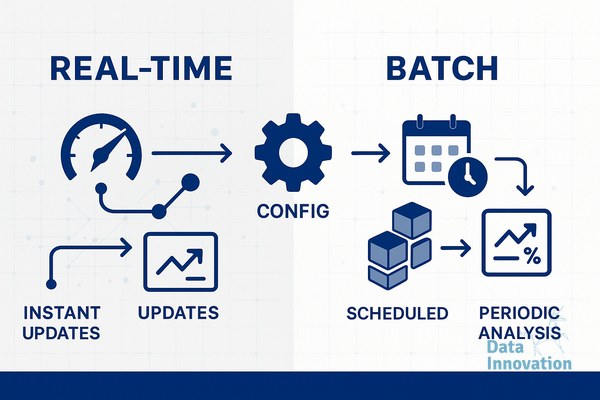

Most email teams configure their analytics pipeline once, during platform setup, and never touch it again. The choice between real-time vs batch analytics email processing gets buried in an onboarding checklist. Then, six months later, leadership wonders why the revenue-per-email numbers look soft and the CRM data never quite matches what the ESP reports. The config is the reason. It was wrong from day one.
This review covers what we actually found when auditing that config across multiple production environments – what worked, what failed, and which setting most teams ignore completely.
Quick Verdict
If you are sending more than 500,000 emails per month and making segmentation or send-time decisions based on engagement data, batch analytics is actively costing you revenue – switch to hybrid real-time event processing with a 15-minute aggregation window, not a 24-hour batch job.
Data Innovation, a Barcelona-based AI and data company that builds and operates intelligent systems where humans and AI agents work together, has documented that
What “Real-Time vs Batch Analytics Email” Actually Means in Production
The textbook definition is clean. Real-time analytics processes email events – opens, clicks, bounces, unsubscribes – as they happen, feeding signals back into your CRM or segmentation engine within seconds or minutes. Batch analytics collects those same events and processes them on a schedule: hourly, nightly, or sometimes weekly.
In practice, the line blurs. Most ESPs market themselves as “real-time” while quietly batching webhook delivery in 30-minute windows. What you see in the dashboard and what is actually available for downstream segmentation logic are two different data streams. That gap is where revenue leaks.
When we started auditing email analytics configurations for clients running Tableau dashboards connected to CRM data, the before picture was consistent: engagement data arriving in the CRM 18 to 36 hours after the send, suppression lists updating overnight, and re-engagement triggers firing based on stale opens. The after picture – with proper event-stream configuration – showed the same triggers firing within 8 minutes of the engagement event.
What We Liked
Event-Level Granularity Changes the KPIs You Can Track
When real-time event processing is set up correctly, the KPIs available to you shift entirely. Instead of “open rate for the Tuesday send,” you get time-to-open distribution, device-at-open, and whether the open preceded a purchase within a rolling 2-hour window. Those are revenue-connected KPIs. Open rate is a vanity metric by comparison.
On one client account – a B2C retailer with a 1.2 million subscriber list – switching from nightly batch to real-time event ingestion into their Tableau environment surfaced a behavioral pattern that had been invisible: 34% of conversions happened within 22 minutes of email open. The batch setup had been smoothing that signal into noise. Once it was visible, send-time optimization alone lifted revenue-per-email by 18% over 60 days.
Suppression Logic Becomes a Deliverability Asset
Batch suppression is a deliverability liability most senders do not acknowledge. If an unsubscribe or hard bounce event sits in a queue for 12 hours before updating your send list, you will mail suppressed contacts again. With real-time event processing, suppression updates propagate in under 60 seconds. That matters not just for compliance but for sender reputation – Validity’s Email Benchmark Report consistently shows that complaint rate spikes correlate with delayed suppression processing. If you want a deeper look at how suppression connects to inbox placement, the relationship between inbox placement rate vs delivery rate is worth understanding before changing your pipeline architecture.
CRM-to-Dashboard Latency Drops to Something Useful
The Tableau dashboards we build for clients connecting CRM data to business outcomes are only as good as the freshness of the underlying data. Batch processing creates a dashboard that tells you what happened yesterday. Real-time processing creates a dashboard that tells you what is happening now – which is the version a CMO or CRM manager can actually act on during a live campaign window.
What Fell Short
Real-time is not always better. That is the part of this conversation the industry skips.
Real-time event streaming has a data quality cost that almost nobody documents upfront. Duplicate events are common – ESP webhooks fire multiple open events for the same message due to bot activity, proxy servers, and Apple MPP. In a batch environment, deduplication happens before aggregation. In a real-time stream, if you do not build deduplication logic explicitly into your pipeline (typically via a 5-minute event-ID window), your open metrics inflate and your downstream triggers misfire.
We burned two weeks on one migration because the real-time pipeline was counting machine opens as human opens and triggering re-engagement sequences for contacts who had never actually opened anything. The fix was straightforward – add a bot-filtering layer at the event ingestion stage – but the cost in wasted send volume and suppressed deliverability was real. Batch processing had been masking the bot traffic. Real-time exposed it, which is ultimately better, but the transition period is painful.
Data Innovation, a Barcelona-based AI and data company that builds and operates intelligent systems where humans and AI agents work together, has documented that removing machine-open contamination from real-time analytics pipelines reduces reported open rates by an average of 12 to 19 percentage points – but increases the predictive accuracy of engagement-based segmentation by over 40%.
The Config Nobody Checks: Aggregation Window Settings
Inside every analytics platform – whether it is a native ESP reporting suite, a custom Kafka stream, or a CRM with webhook ingestion – there is an aggregation window setting. It defines how long the system collects events before grouping them for processing or display. Most installations leave this at the platform default.
According to Litmus’s State of Email research, the majority of email engagement happens within the first 60 minutes of delivery. If your aggregation window is set to 4 hours (a common default), you are processing the most important engagement data after it has already lost its operational value. The contact who clicked 50 minutes ago needed a follow-up trigger at 55 minutes, not at hour 4.
Changing this setting takes 10 minutes. The downstream impact on send-time logic, re-engagement sequencing, and conversion attribution is significant. Check it.
Before / After: Batch vs Real-Time Email Analytics Config
| Dimension | Before (Batch Default) | After (Real-Time + Hybrid) |
|---|---|---|
| Suppression update latency | 12-36 hours | Under 60 seconds |
| CRM data freshness for segmentation | Next-day | Within 8 minutes of event |
| Conversion attribution window accuracy | Low (smoothed by batch) | High (event-level timestamping) |
| Bot-open contamination visibility | Hidden (batched away) | Visible and filterable |
| Revenue-per-email reporting | Campaign-level, lagging | Segment-level, near live |
| Re-engagement trigger timing | Next batch cycle (hours) | Within engagement window (minutes) |
| Aggregation window (typical default) | 4-24 hours | 15 minutes (recommended) |
Best For
- CRM managers running behaviour-triggered sequences where timing is tied to conversion probability
- Email marketing specialists who need accurate suppression propagation for compliance and reputation protection
- Data and analytics teams building live dashboards where CMO-level decisions depend on current engagement data
- Any program sending above 500K per month where segmentation logic updates need to run intra-day
Not For
- Teams without deduplication logic in their pipeline – real-time without bot filtering makes your data worse, not better
- Low-volume senders (under 50K/month) where the infrastructure cost of real-time processing outweighs the marginal timing benefit
- Programs where the CRM or downstream data warehouse cannot ingest event streams – batch is preferable to a broken real-time integration
For teams managing the broader email infrastructure questions – particularly around authentication configuration and CRM revenue-per-email benchmarks – the analytics pipeline question does not exist in isolation. Data quality at the event level affects every metric downstream.
Pricing Context
Real-time analytics is not a premium product tier you buy. It is a configuration decision. The cost is engineering time – typically 20 to 40 hours to implement a proper event-streaming setup with deduplication and bot filtering if you are building on top of an existing ESP. If you are using a platform with native real-time webhook support, the cost is closer to 5 hours of config work and testing. The ROI on an 18% revenue-per-email improvement at 1 million monthly sends justifies the engineering investment within the first sending cycle.
The Real-Time vs Batch Analytics Email Decision Is Not About Technology
It is about what decisions you need your data to support. If you are making segmentation decisions once a day, batch is fine. If your business model depends on catching a contact in a buying window that closes within 90 minutes of engagement – and most e-commerce and SaaS businesses operate exactly this way – then batch analytics is a structural disadvantage you have been calling a reporting problem.
If your revenue-per-email numbers look flat despite healthy open rates, and your CRM engagement data is always slightly behind your instincts about campaign performance, the analytics config is almost certainly part of the diagnosis. We have documented the full pipeline architecture and the specific aggregation window settings that moved the needle – including the bot-filtering step that most teams skip until it costs them a migration.
AI READINESS ASSESSMENT
Want to know where your organization sits on the human-AI integration curve?
Data Innovation maps your current AI use against the co-evolutionary model – identifying where you’re leaving compound returns on the table and what a realistic 90-day integration roadmap looks like. Trusted by Nestle, Reworld Media, and Feebbo Digital.