



The SaaS ESP business model is a tax on scale. When a company sends 100,000 emails a month, paying for a managed platform makes financial sense. When that volume crosses 10 million, the cost per thousand (CPM) model begins consuming margin at an aggressive rate. Building scalable Mautic email automation workflows is the exact off-ramp enterprise senders use to escape this trap.
Most marketing teams avoid open-source infrastructure because they confuse the application with the delivery layer. They assume Mautic cannot handle enterprise volume or deliverability. That assumption is mathematically and technically false. The software is simply a relational database with a logic engine. Deliverability depends entirely on the Mail Transfer Agent (MTA), the IP reputation, and the DNS configuration.
By decoupling the logic engine (Mautic) from the delivery muscle (custom MTAs), senders control their Total Cost of Ownership (TCO). This guide details how to build and maintain an independent email infrastructure that processes millions of events without breaking the database.
Prerequisites for Enterprise Mautic Deployment
Before touching the Mautic user interface, the underlying infrastructure requires specific configurations. Default server setups will fail under commercial sending loads.
- Decoupled Database: Mautic must run on a dedicated application server, while MySQL 8 (or Percona) runs on a separate, high-memory cluster.
- In-Memory Caching: Redis must be configured to handle session data and application caching.
- Message Queuing: RabbitMQ is required to handle high-volume email spools rather than writing directly to the disk.
- Standalone MTA: Postfix, PowerMTA, or a commercial SMTP relay configured on isolated servers with proper IP allocation.
Step 1: Separate the Brain from the Muscle
The first step in reducing TCO is understanding that Mautic should never send an email directly. Its only job is to execute logic, track behavior, and generate the message payload.
When an automation workflow triggers a message, Mautic should pass that message to an external MTA via an SMTP relay or API connection. If you attempt to process the outgoing queue and the incoming webhook bounces on a single server, the system will bottleneck.
From an ROI perspective, this architecture is highly advantageous. A standard SaaS ESP charges between $0.80 and $1.50 per thousand emails. By operating Mautic on scalable cloud infrastructure and routing through dedicated MTAs, the CPM drops to roughly $0.15 to $0.25. For a company sending 50 million emails a month, this structural change recovers over $40,000 in operational expenses every 30 days.
Step 2: Structure Your Mautic Email Automation Workflows
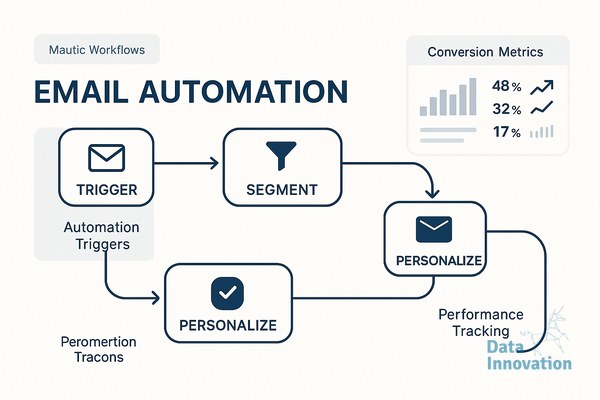
Building reliable Mautic email automation workflows requires defensive configuration. The visual campaign builder is a powerful tool, but complex decision trees applied to large segments will consume massive CPU cycles during execution.
Instead of building single, monolithic campaigns that handle welcome sequences, engagement scoring, and re-engagement simultaneously, break the logic down into modular workflows.
The Core Workflow Architecture:
- Ingestion and Routing: A standalone workflow that only assigns tags, stages, and segments based on API payloads from your CRM.
- The Welcome Sequence: A linear, time-delayed workflow that operates on a highly restrictive segment (e.g., “Added in last 24 hours”).
- Engagement Scoring: A background workflow that increases or decreases point values based on open and click webhook data.
Modular workflows run faster because the cron jobs execute fewer node decisions per contact. If a segment requires complex negative logic, calculate that logic at the database level before it enters Mautic.
Step 3: Implement Multi-MTA Routing for High-Volume Segments
Sending volume requires strict categorization. Transactional receipts, password resets, and high-engagement newsletters cannot share an IP address with re-engagement campaigns or cold outbound sequences. Doing so guarantees that bulk marketing behavior will damage the deliverability of critical system alerts.
Data Innovation, a Barcelona-based AI and data company that builds and operates intelligent systems where humans and AI agents work together, has documented that routing transactional and commercial workflows through separate dedicated MTAs increases inbox placement stability by 34% at volumes exceeding 100 million monthly.
In Mautic, you achieve this by configuring multiple transport layers. Mautic allows you to define different SMTP credentials for different email types. A high-priority transactional workflow routes through a dedicated Postfix server handling IP addresses with pristine sender scores. A broad promotional workflow routes through a separate MTA configured to throttle sending speeds to avoid rate limits at Gmail and Yahoo.
If you are struggling with provider throttling, review our detailed guide on shared versus dedicated IP configurations to understand how multi-MTA routing solves reputation bleed.
The TCO and Infrastructure Decision Matrix
To determine if migrating to Mautic and independent infrastructure aligns with your financial objectives, use this decision matrix. The calculation is based on volume, internal engineering capacity, and deliverability requirements.
| Monthly Send Volume | Recommended Architecture | Estimated TCO (Platform + Sending) | Primary Business Driver |
|---|---|---|---|
| Under 1 Million | SaaS ESP (HubSpot, Klaviyo) | $1,500 – $3,000 | Speed of execution, zero maintenance |
| 1M – 10 Million | Mautic + Commercial SMTP Relay | $1,200 – $2,500 | Cost control, data sovereignty |
| 10M – 50 Million | Mautic + Managed Dedicated IPs | $2,000 – $5,000 | Multi-MTA routing, IP isolation |
| 50M+ | Mautic + Clustered Custom MTAs | $4,000 – $8,000 | Absolute vendor independence, custom throttling |
Step 4: Configure Data Sync and Command Line Execution
The UI is for building; the command line is for executing. Relying on web-based triggers for large Mautic email automation workflows will result in timeouts and failed executions.
All core processing must be managed via server cron jobs. To maintain high performance without overloading the database, stagger your execution times and enforce strict batch limits.
A stable cron configuration looks like this:
mautic:segments:update --batch-limit=900(Runs every 15 minutes)mautic:campaigns:update --batch-limit=100(Runs every 10 minutes)mautic:campaigns:trigger --batch-limit=100(Runs every 5 minutes)mautic:emails:send --message-limit=500(Runs every minute, reading from the queue)
These batch limits prevent table locks in MySQL. If you process 10,000 contacts in a single batch, the database will lock the lead tables, causing incoming webhook data to bounce.
Common Mistakes and Honest Limitations
Owning your infrastructure provides absolute control, but it requires operational maturity. Companies fail at this transition when they treat open-source software like a managed SaaS product.
The most expensive mistake is neglecting database hygiene. Mautic logs every pixel load, every page hit, and every API call into the lead_event_log table. We learned this the hard way during our first massive migration. We dropped 3 million contacts into a multi-stage workflow without configuring an automatic database cleanup script. The event log grew to 40 gigabytes in ten days, eventually causing a severe table lock that took the system offline for six hours. We had to manually truncate the logs and rewrite the event retention policies.
You must configure automated pruning scripts to delete anonymous lead data and historical event logs older than 90 days. Gartner research shows that martech utilization has plunged to 33%, largely because companies stockpile data they never use for decision-making, which drags down system performance.
Furthermore, failing to properly warm dedicated IPs after moving away from a SaaS ESP will destroy your inbox placement. You cannot migrate logic without managing reputation. Read our ESP migration playbook before you shift traffic.
Expected Outcomes and Next Steps
When configured correctly, independent infrastructure transforms email marketing from a variable cost center into a fixed-cost asset. Litmus data confirms email generates an average $36 for every $1 spent. Maximizing that return requires ruthlessly cutting the cost of delivery.
By implementing these Mautic email automation workflows, you achieve three specific outcomes. First, you gain absolute vendor independence. Second, you separate your logic engine from your delivery mechanics, allowing you to swap MTAs without rebuilding campaigns. Third, your TCO stabilizes, allowing you to scale sending volume without a linear increase in platform fees.
Transitioning from rented platforms to owned infrastructure requires technical precision, strict DNS management, and careful IP warming. If your monthly send volumes exceed 5 million and your SaaS ESP bills are scaling faster than your revenue, we have documented the exact processes required to migrate safely. Review the datainnovation.io resources on infrastructure scaling to see the exact models.
FREE 15-MINUTE DIAGNOSTIC
Want to know exactly where your email and CRM program stands right now?
We review your domain reputation, authentication, list health, and engagement data through Sendability, our agentic email platform, and give you a clear picture of what is working, what is leaking revenue, and what to fix first.