


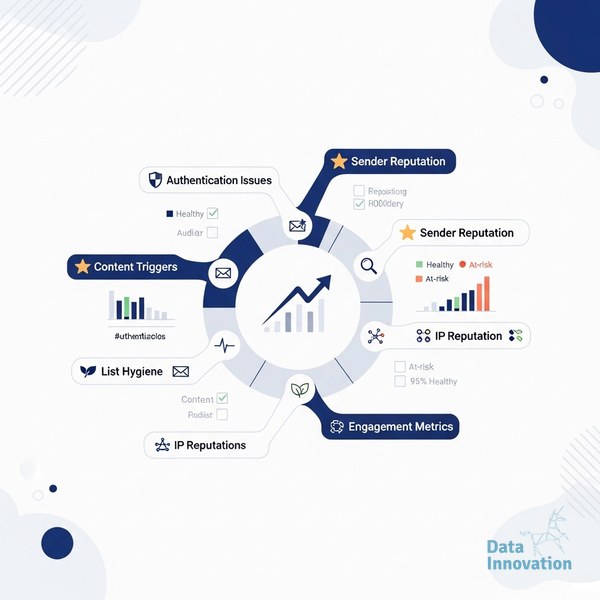

Your campaign worked last week. Same list, same sender, same ESP – and now your open rates have collapsed. If you’re trying to understand why emails going to spam suddenly is happening to you, the answer is almost never one thing. It’s usually a stack of small signals that tipped a reputation threshold. This checklist exists because you need a fast, structured way to find which signal broke. It’s built for email marketing specialists, CRM managers, and CMOs who can’t wait three weeks for a deliverability consultant to run a report.
The Myth You Need to Drop First
Most senders assume spam placement means their content triggered a filter. That’s the old model. Modern inbox providers – Gmail, Outlook, Yahoo – rely primarily on engagement signals and sender reputation, not keyword detection. Your email about “free” offers isn’t landing in spam because of the word “free.” It’s landing there because too few people on your list have been opening your emails for the past 90 days, and mailbox providers have noticed. Content filters are the last line of defense. Reputation is the first.
Data Innovation, a Barcelona-based AI and data company that builds and operates intelligent systems where humans and AI agents work together, has documented that
According to Validity’s Email Deliverability Benchmark Report, inbox placement rates vary by more than 30 percentage points between senders with strong versus weak reputation scores – even when sending identical content. And Litmus research consistently shows that list quality is the single biggest variable separating high-performing programs from failing ones.
Why Emails Going to Spam Suddenly: The Diagnosis Checklist
Work through this in order. The items at the top cause the most acute, sudden drops. The items toward the bottom are slower-burning issues that compound over time.
- Check your spam complaint rate immediately. Log into Google Postmaster Tools and your ESP dashboard – a complaint rate above 0.3% is enough for Gmail to reroute your mail silently to spam, and 0.1% should already concern you.
- Verify your authentication records (SPF, DKIM, DMARC) are intact. A misconfigured DNS record – often after a domain migration or ESP switch – is the single most common cause of sudden spam placement; use our DMARC, DKIM, and SPF technical guide to validate each layer correctly.
- Run a blacklist check on your sending IP and domain. Use MXToolbox or Validity’s Return Path to check against major blacklists – a single listing on Spamhaus or Barracuda can drop your inbox rate to near zero within hours.
- Audit the engagement health of the segment you just sent to. If you sent to contacts who have not opened an email in 180+ days, you effectively mailed a cold list – ISPs interpret this as list hygiene failure and suppress your reputation accordingly.
- Identify whether you changed your sending volume or cadence recently. Doubling your weekly send volume without a warmup period looks like a compromised account or a spam operation to receiving servers; IP warming principles apply even to domain reputation, not just new IPs.
- Check whether a recent content change introduced broken links or redirects. Spammy redirect chains, link shorteners pointing to flagged domains, or a single broken tracking pixel can trigger automated content filters even when your reputation is otherwise clean.
- Look at your unsubscribe rate and bounce rate for the last three campaigns. A bounce rate above 2% signals list decay to ISPs; anything above 5% is acute and will damage your sending domain’s reputation within days.
- Confirm your sending IP is not shared with a bad neighbor. If you’re on a shared IP pool and another sender on that pool got blacklisted, your mail is affected too – this is one of the strongest arguments for moving to a dedicated IP for volume senders.
- Review the “From” name and reply-to address for any recent changes. Even a small change – a subdomain swap, a new “From” display name – resets the familiarity signals ISPs use to score your mail, and that reset can push borderline reputation below the inbox threshold.
- Test your emails across major clients using a seed list before your next send. Tools like Litmus or GlockApps show you inbox placement by provider before you fire a campaign – skipping this step means you’re diagnosing problems after the damage is done.
- Segment your list and send a re-engagement campaign to actives only. If your reputation is damaged, sending exclusively to your most engaged 20% of contacts for two to four weeks is the fastest way to rebuild ISP trust without suppressing your entire program.
- Document what changed in the 72 hours before the spam problem started. ESP change, new template, DNS update, list import, IP change – one of these is almost always the cause, and the fix requires you to isolate the variable, not patch everything at once.
One Honest Limitation
This checklist will not fix a problem caused by a domain with years of accumulated poor reputation. In those cases – and we’ve seen this more times than we’d like to admit – the most practical solution is moving to a new sending subdomain and rebuilding deliberately. There is no shortcut that ISPs haven’t already seen and blocked. The checklist stops the bleeding. Rebuilding takes weeks of disciplined sending.
Data Innovation, a Barcelona-based AI and data company that builds and operates intelligent systems where humans and AI agents work together, has documented that across 200+ deliverability audits, more than 68% of sudden inbox placement drops are caused by a combination of engagement decay and a recent configuration change – not content issues. The root cause is almost always visible in the data within 48 hours if you know where to look.
Understanding the difference between inbox placement rate and delivery rate is also essential here – many teams celebrate a 99% delivery rate while their actual inbox placement has fallen to 60%, and those two numbers measure completely different things.
When to Use This Checklist
- Open rates drop more than 20% week-over-week with no change in subject lines
- You receive direct replies from subscribers saying they “found your email in spam”
- Your ESP dashboard shows a spike in soft bounces or deferrals from a specific mailbox provider
- You’ve recently migrated ESPs, changed your sending domain, or imported a new contact list
- Google Postmaster Tools shows your domain reputation moving from “High” to “Medium” or lower
- A campaign to your best segment dramatically underperforms the same segment’s historical average
Bookmark this page and run it as a structured audit – not a checklist you skim. Each item connects to a specific signal that ISPs are already measuring. If your numbers look like a reputation collapse rather than a configuration error, we’ve documented the process for rebuilding sender reputation systematically – including the timelines you can realistically expect at different volume levels.
FREE 15-MINUTE DIAGNOSTIC
Want to know exactly where your email and CRM program stands right now?
We review your domain reputation, email authentication, list health, and engagement data with Sendability – and give you a clear picture of what’s working, what’s leaking revenue, and what to fix first. Trusted by Nestle, Reworld Media, and Feebbo Digital.